Integrations Catalog for Data sharing
Overview
Design the experience for the unified Contentsquare, Hotjar, and Heap integrations catalog.
The goal was to give every customer a consistent and actionable way to connect their existing tools to Contentsquare data, regardless of their plan.
Context
Contentsquare merged four separate products into One App in late 2025. Each product had its own integration catalog with different structures, feature sets, and visual languages. This had to become one coherent experience for all customers.
Role
Hands-on Product Design Director. I owned the design vision, the information architecture and the end-to-end UX of the catalog.
I worked closely with Product Management and engineering to align on scope, prioritize, and deliver.
Goal
The brief was clear: one catalog, for all customers, across all plans. But the ambition behind it was larger than unification for its own sake.
Approach & process
Before producing anything, I needed to understand what each of the three catalogs was actually good at. I went through Hotjar, Heap, and Contentsquare's catalogs with the same set of questions: How does a user find the right integration? How does the page communicate the value of connecting? What happens at install? What does an empty state look like?
This audit surfaced real differences in approach. Hotjar's catalog was lightweight and fast. Heap's was more data-rich, with stronger filtering logic. CSQ's was more exhaustive but harder to navigate. The goal was not to average them out — it was to take what worked best from each and build something more considered.
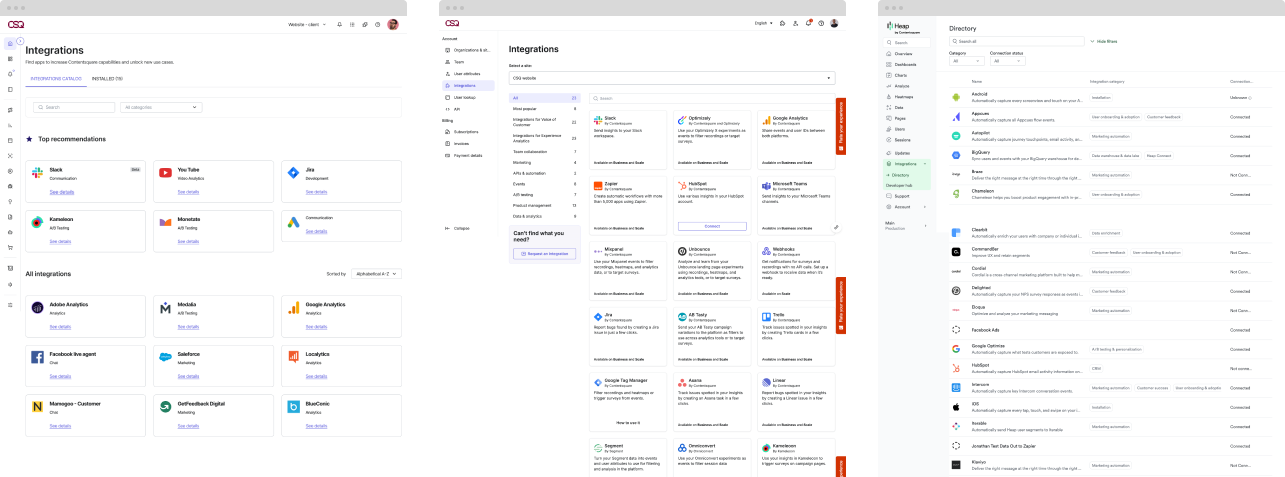
Three catalogs, three experiences
Aligning the team
Before any IA work, the team needed a shared picture of where we were and what was actually blocking us. A speedboat workshop surfaced that quickly.
Winds, anchors, and destination helped the group align on what was blocking catalog unification and what we were actually building toward. The output shaped most of the decisions that followed.
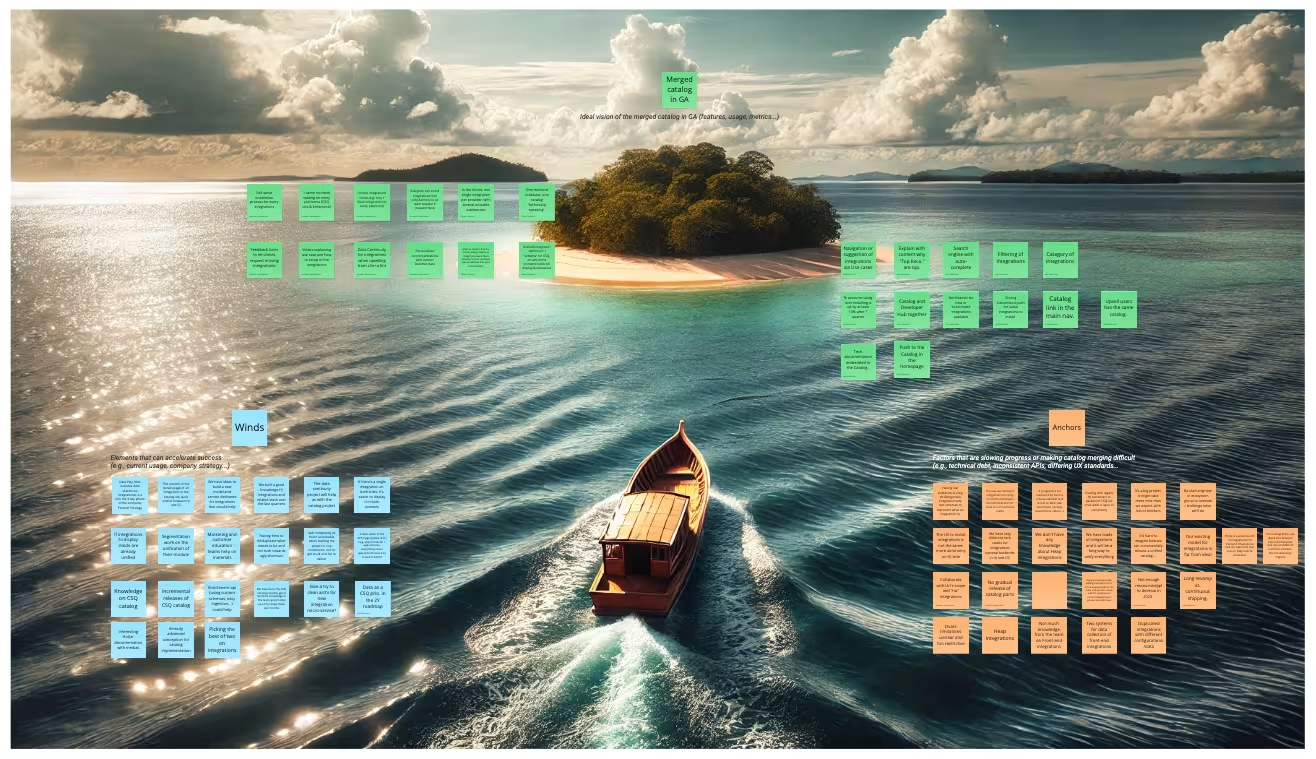
Speedboat workshop with the integrations team
Flows and Information architecture first
I began with the structure before working on any UI.
The main question was: what are customers really trying to do when they open the catalog? The answer was rarely « browse everything. »
More often, they came with a specific tool in mind or a vague goal to get more out of a platform they already use.
This led to a catalog architecture organized around use cases and integration categories rather than a flat alphabetical list. Filters were designed to be additive and meaningful — by category, by plan availability, by connection status.
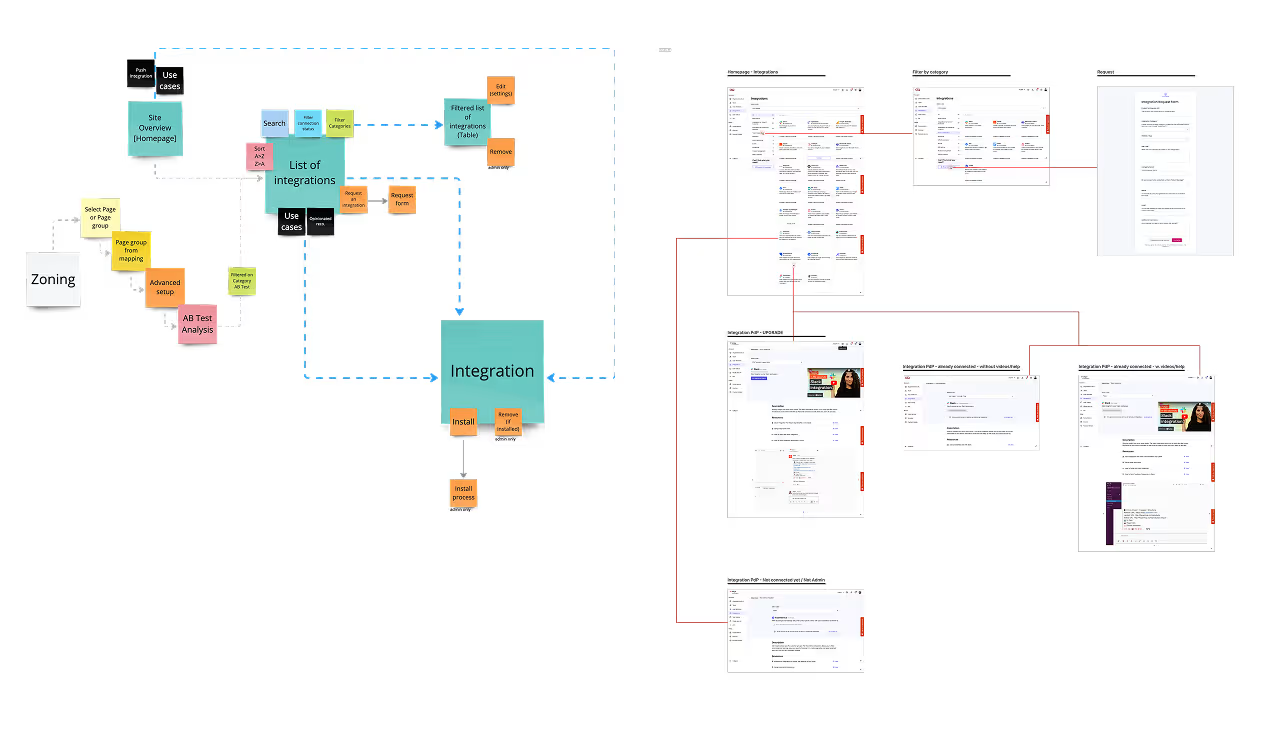
Flows
Contextual awareness at the catalog level
The catalog already knew which integrations were active for each customer. That was going unused. The direction shifted from a browsable library to something more active. A surface that brings the right integration to the right customer at the right moment. PLG upsell entry points first. More value at each release after that.
This was an important competitive angle: turning a passive catalog into a dynamic recommendation surface.
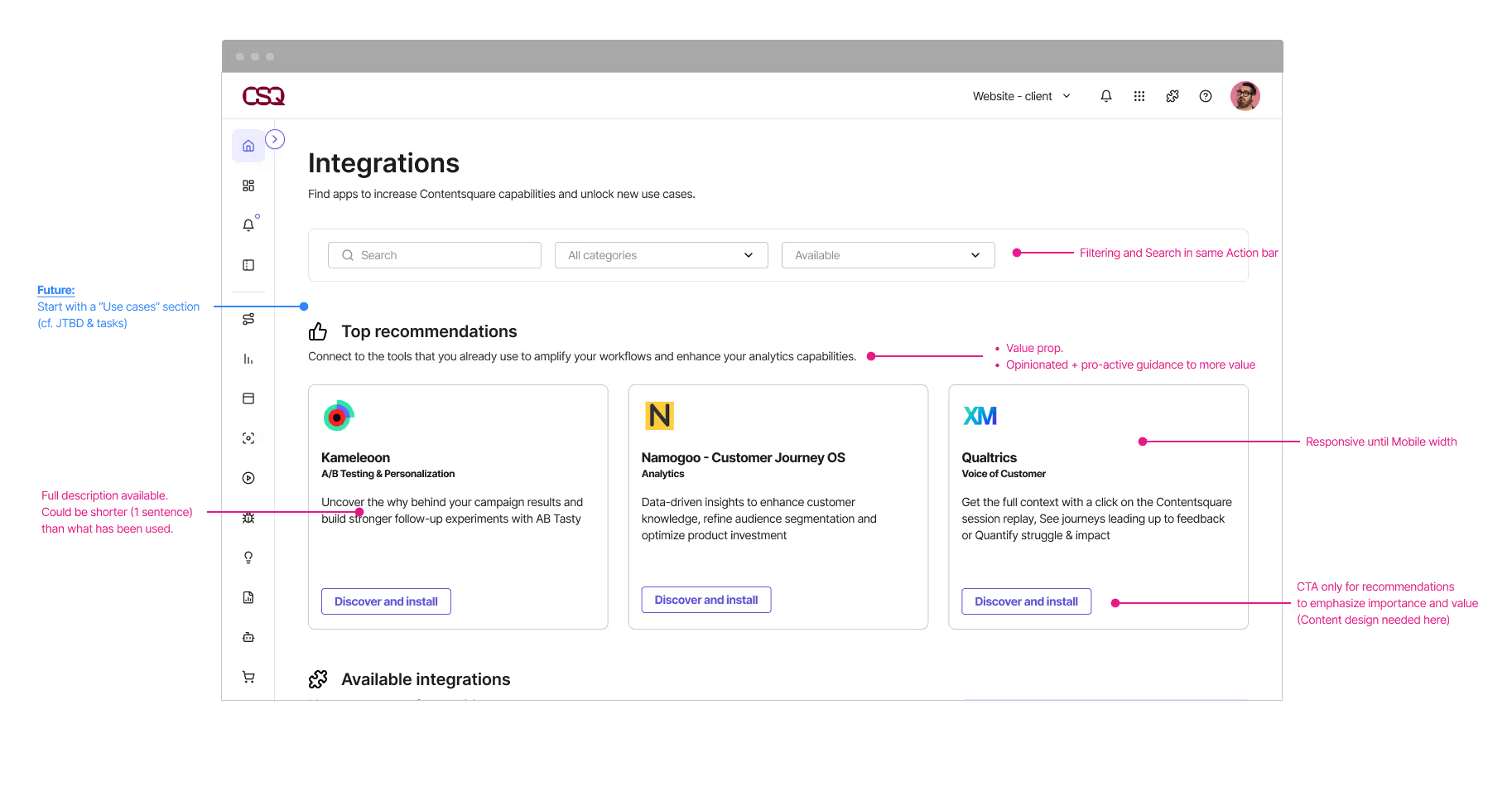
Suggested integrations based on detected tools
Journey: from search to active value
I mapped the full journey: arrive → find → understand → install → data flows. Each step had drop-off risk. The detail page had to work hard: show the benefit, reveal what data moves, make setup feel approachable for non-technical users. Self-serve install was the goal for 80% of the catalog. The legacy catalogs dropped the ball on post-install: what happens after you connect? Is it working? That gap hurt retention. We fixed it.
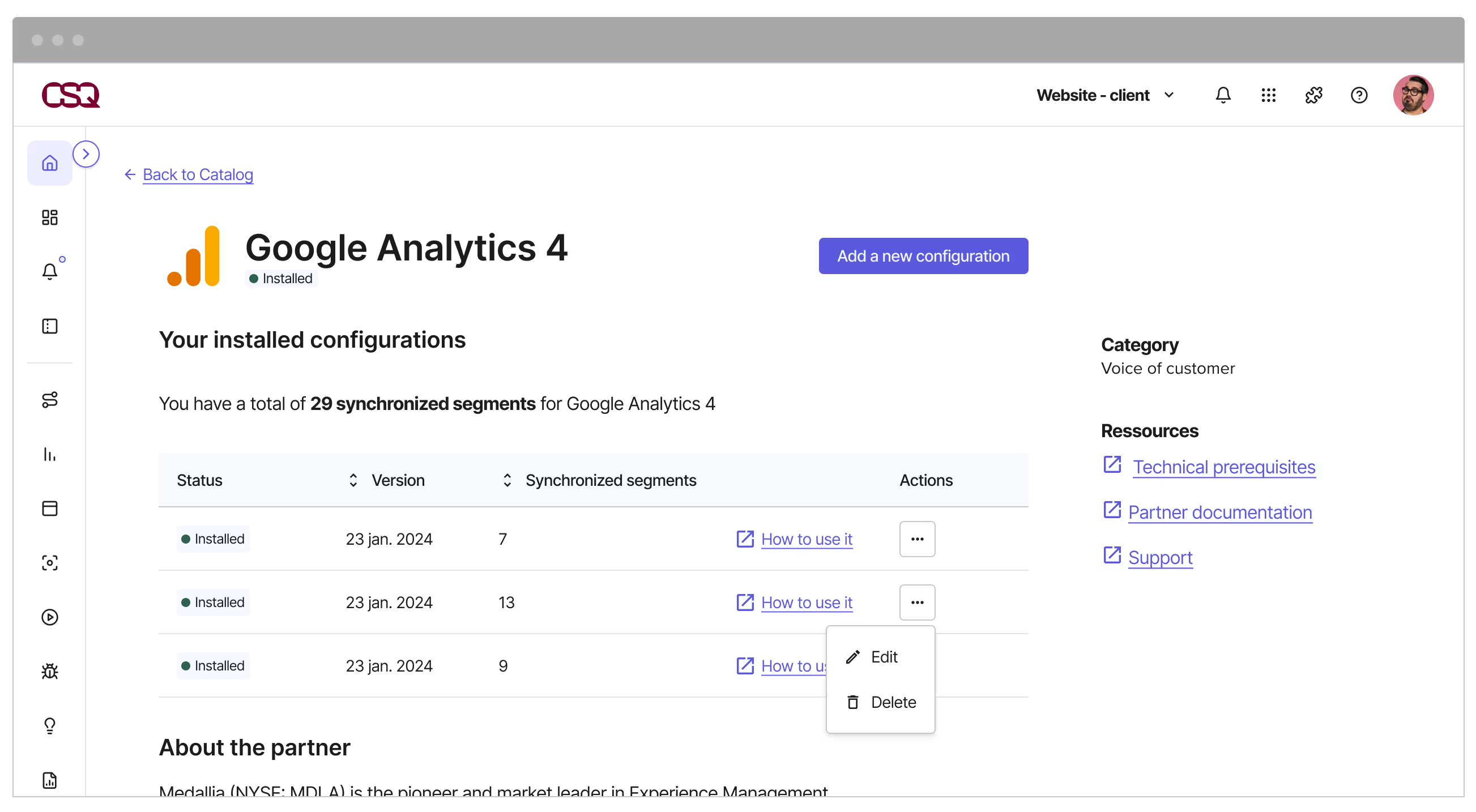
From catalog to active integration
Upsell embedded in the experience
A number of integrations were gated by plan. Rather than hiding them or showing a dead end, I worked on a way to surface these integrations with clarity — showing what they offer, why they are plan-restricted, and what the upgrade path looks like. This is connected directly to the pricing and packaging logic being built across other parts of the product.
The idea was that discovering a locked integration could become a conversion moment, not a frustration. The design had to feel informative rather than commercial, which required as much care in copywriting as in layout.
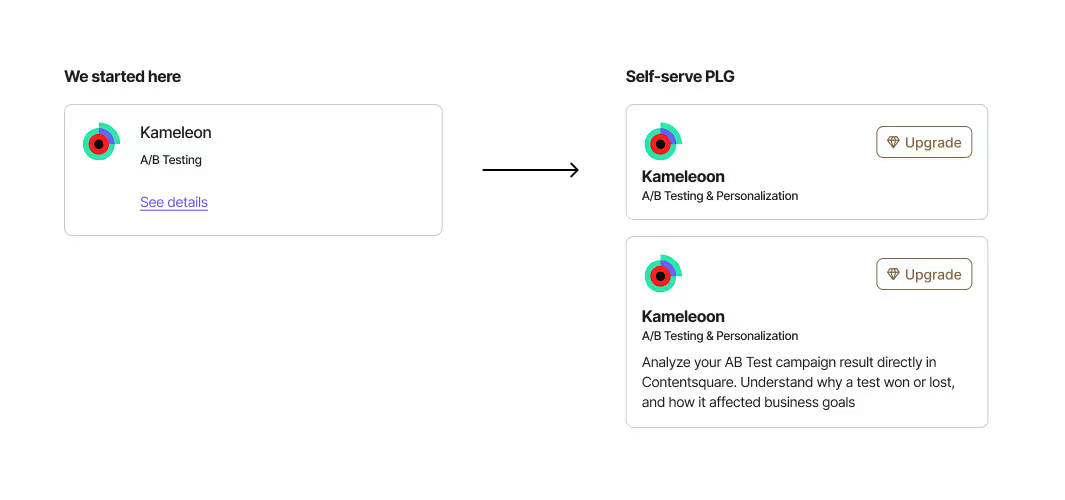
Gated integrations
Tomorrow: AI and automation
During the design exploration, I mapped a medium-term vision for where AI could play a role in the catalog. The idea was to move toward a catalog that understands a customer's usage patterns and proactively recommends integrations to specific insights they are not currently getting.
That directional work is not yet shipped. It shaped the catalog structure, particularly how integration metadata is organized and how recommendations are surfaced.
➡️ Results
The unified catalog launched progressively between September and October 2025, in line with the broader One App rollout. By October 20th, 100% of new self-serve traffic — across all platforms — was routed through the new catalog.
Platform consolidation
Three separate catalog frontends and their associated maintenance were replaced by a single system. For marketing, product, and engineering teams, this removed a significant source of complexity and made it possible to innovate faster on the integration experience going forward.
Migration coverage
12 active Heap integrations were identified and prioritized for migration, based on actual usage data. The top four (Shopify, Appcues, Chameleon, and AB Tasty) were handled first. Priority was driven by the number of active projects, not just integration availability.
Self-serve install
80% of integrations in the new catalog support self-serve install. This directly reduces support load and shortens the time between a customer discovering an integration and getting value from it.
Foundation
The catalog structure and the contextual awareness layer are now in place to support what's next: migrating existing Hotjar and CSQ Lite customers, expanding the library of integrations, and progressively introducing AI-powered recommendations. The design is built to scale, which was a deliberate decision from the start.
Want to discuss this?
Other case studies
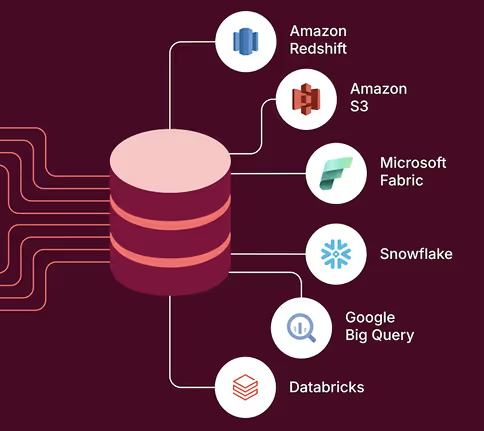
Seamless data export
Contentsquare
Bring Contentsquare behavourial data in the client ecosystem with a new feature.
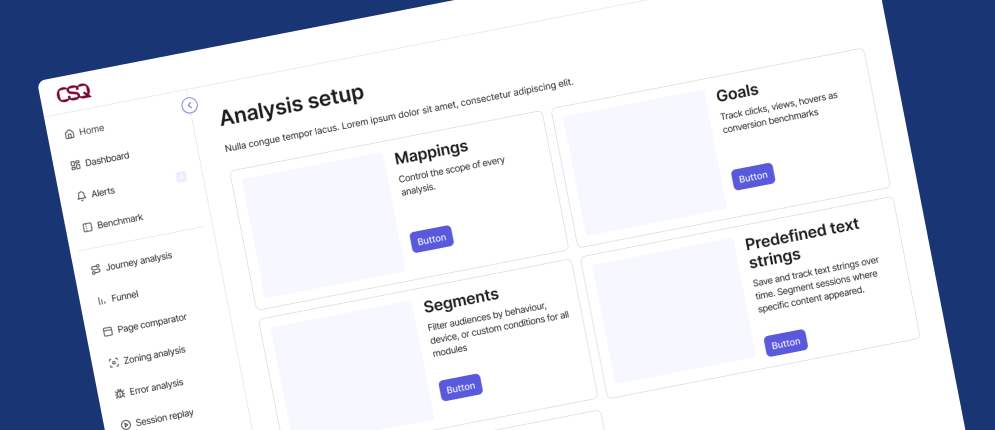
Analysis Setup Navigation
Contentsquare
The navigation problem Data Connect exposed, and the decision made to ship without fixing it.
Design sprint: MaaS
Renault Digital
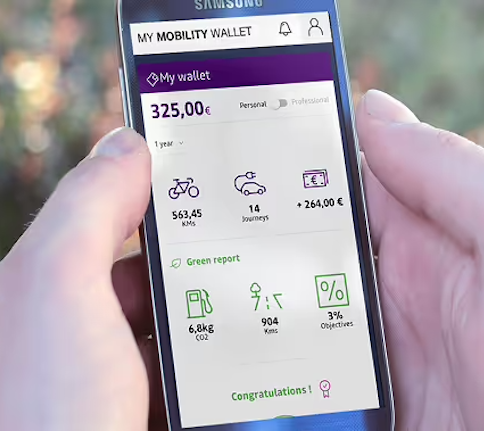
A few days to help pushing forward Renault's Mobility-as-a-Service strategy.